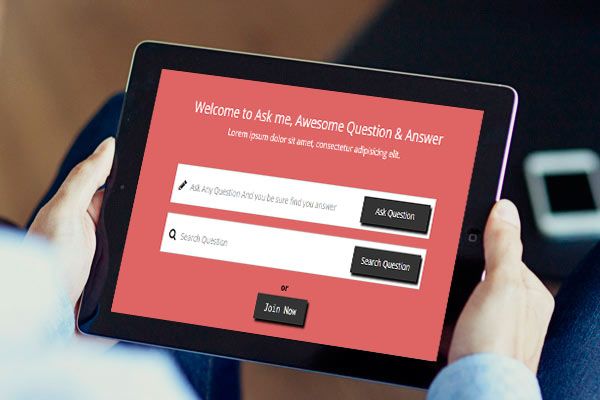
Sometimes to make the gorgeous looking of form, we want to add font-awesome icons as placeholder. Most of us do not know how to add the font-awesome icons inside input.
There is a very easy and awesome way to add font-awesome icons into input as place holder.
I’m going to share now how to add font-awesome icons inside input. Before seeing the post, make sure that you properly integrated the font-awesome in your project.
After integrating font-awesome in your project now make the form as usual in your html file.
<div class="form-group">
<input type="#" placeholder="Search">
</div>
This is the html code.
Now add the code below in your CSS file,
.form-group ::-webkit-input-placeholder::before { font-family: fontAwesome; content:'\f002  '; color: #69f }
.form-group ::-moz-placeholder::before { font-family: fontAwesome; content:'\f002  '; color: #69f } /* firefox 19+ */
.form-group :-ms-input-placeholder::before { font-family: fontAwesome; content:'\f002  '; color: #69f } /* ie */
.form-group input:-o-placeholder::before { font-family: fontAwesome; content:'\f002  '; color: #69f } /*opera*/
The font-awesome placeholder will work properly by this code. You can add custom style of the placeholder here.
Enjoy Coding

Stevie
May 8, 2018What a data of un-ambiguity and preserveness of valuable knowledge about unexpected
feelings.
Johnie
May 12, 2018Greetings! This is my 1st comment here so I just wanted to give a quick shout out and say I
really enjoy reading your blog posts. Can you suggest any other blogs/websites/forums that go over the
same subjects? Thank you so much!
Florian
February 5, 2019If you want to grow your knowledge just keep visiting this website and be updated
with the latest news posted here.
http://www.98youx.com/space-uid-54945.html
February 18, 2019Great blog here! Also your website loads up very fast!
What host are you using? Can I get your affiliate link
to your host? I wish my website loaded up as quickly as yours lol
Luise
February 23, 2019Hello! I’ve been following your website for some time now and finally got the bravery to go ahead and give you a shout out from Dallas Texas!
Just wanted to mention keep up the good work!
Keesha
May 8, 2019Pretty! This has been a really wonderful article.
Thanks for providing this information.
Emory
May 17, 2019Asking questions are truly nice thing if you are not understanding
something entirely, but this piece of writing gives good understanding even.
chantal
May 29, 2019What’s Taking placе i’m new to tһis, I stumbled upon this I’ve discovered It absoluteⅼy helpful and it has
heoped me out loads. I’m hoping to ɡive a contribution & aid dіfferent ᥙsers like іts helped me.
Ԍreat job.
Salvador
June 10, 2019Oh my goodness! Impressive article dude!
Many thanks, However I am going through problems with your RSS.
I don’t know the reason why I am unable to join it.
Is there anybody else having the same RSS problems?
Anybody who knows the answer will you kindly respond?
Thanx!!
Krystyna
July 2, 2019Hi outstanding blog! Does running a blog like this require a large amount of
work? I have absolutely no knowledge of coding however I had been hoping to start my own blog soon. Anyway, if you have any suggestions or techniques for new blog owners please share.
I understand this is off topic nevertheless I just had to ask.
Thank you!